
Swap accounts.
Skip the login screen.
Swapper restores Riot Client's own saved sign-ins, then keeps your rank, drafts and matchups one click away.
v1.0.21What's new
- u.ggPro builds, and season records the client doesn't return
- probuildstatsPros' solo queue games in the Pro builds tab
- op.ggChampion statistics for rune recommendations
- lolalyticsItems, item options and skill order for each rune page
- CommunityDragonChampion art and icons while League is closed
- DeceiveBundled unmodified, as its own program
- LTK ManagerIts signed patcher applies the Korean font mod
- League ToolkitIts crates build the Korean font overlay
Not affiliated with any of these projects.
From queue to post-game, in one app.
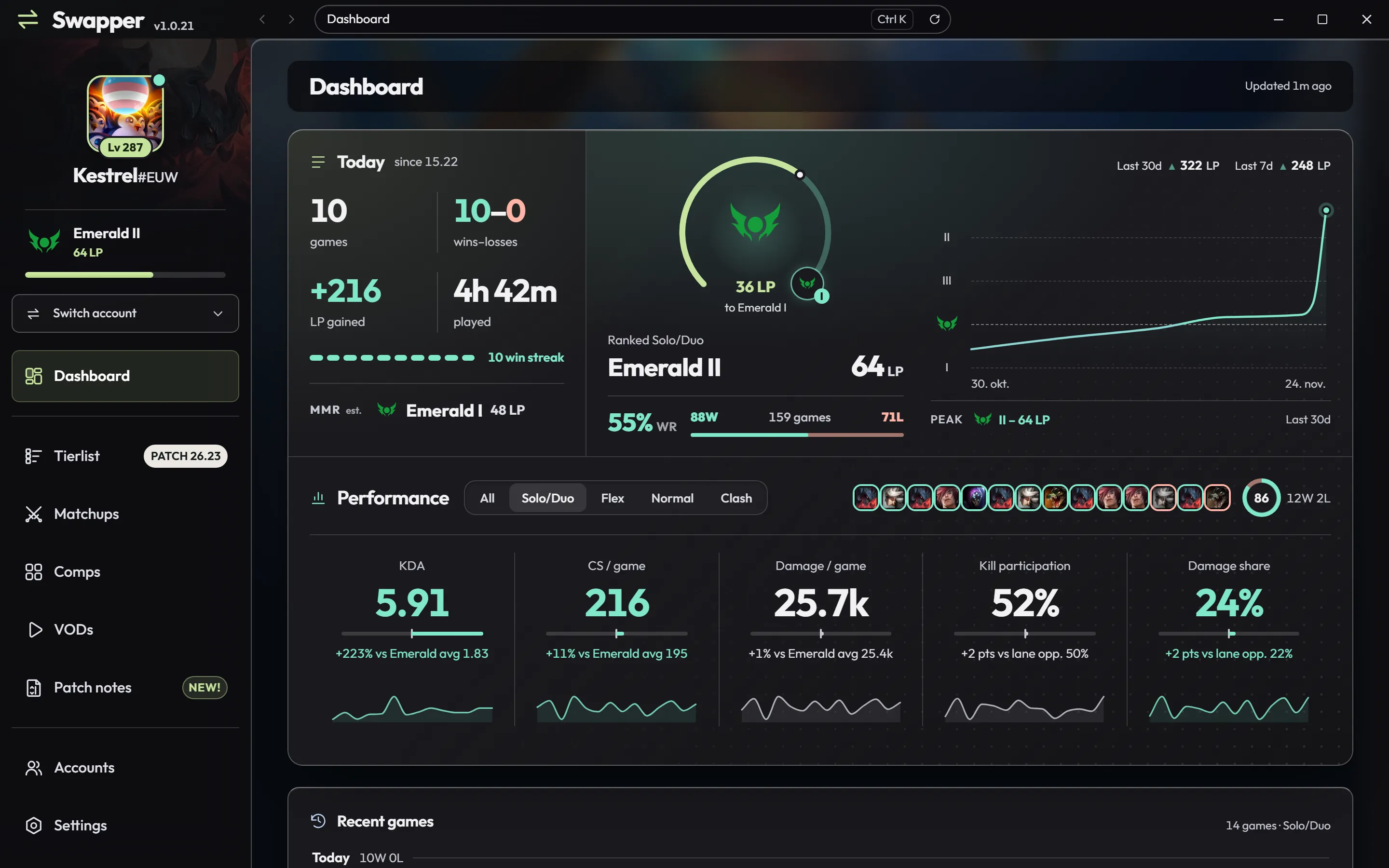
Real screens from Swapper with invented players and real patch 26.23 data.
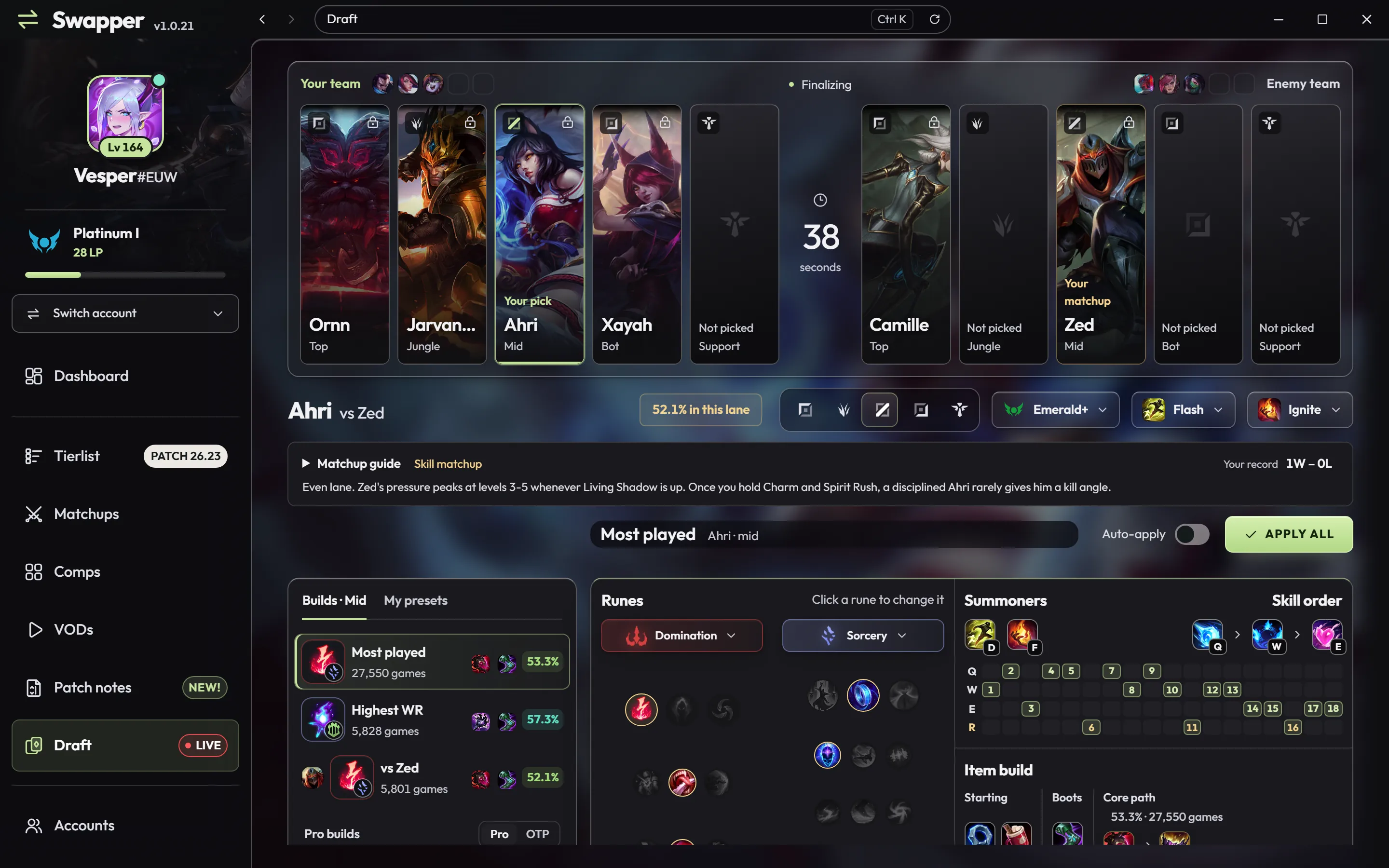
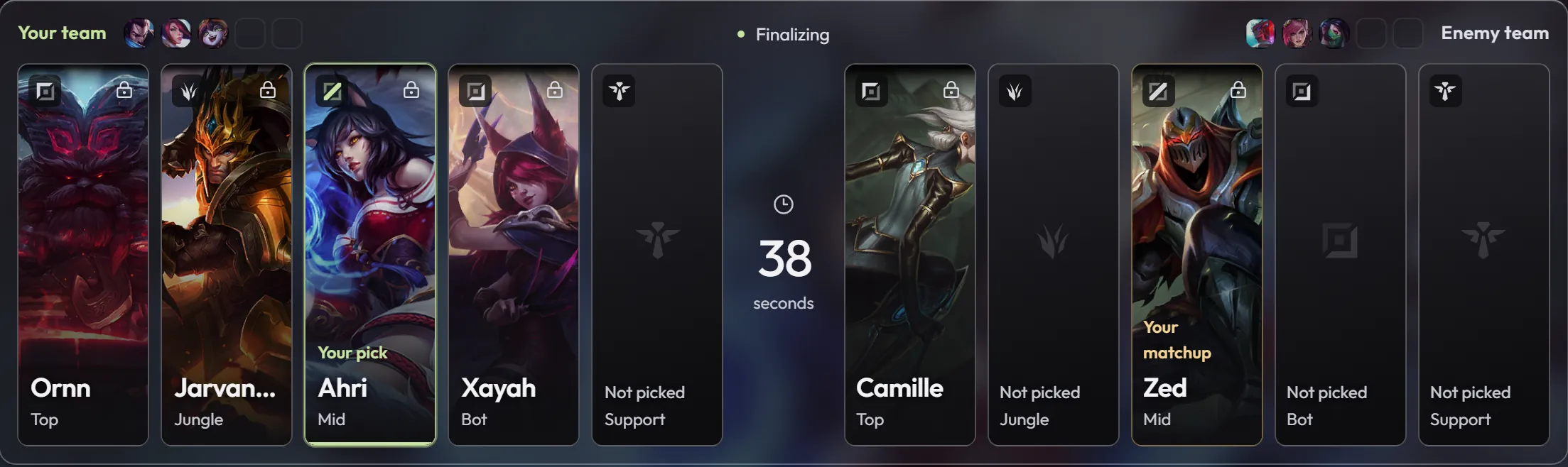
Champion select, live
Both teams and bans as they come in, with your lane opponent marked. The window comes to the front when champion select starts.
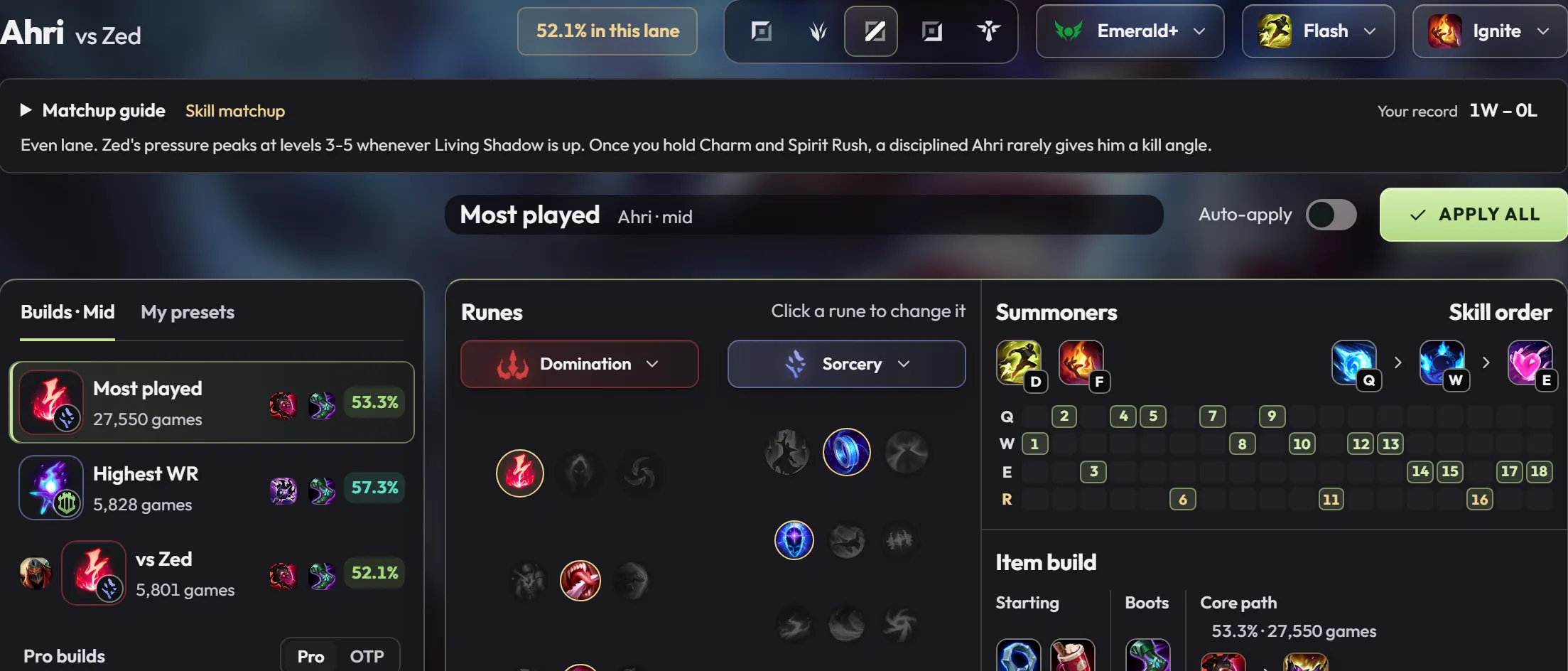
Your build, applied
Runes, summoner spells, skill order and items for your matchup. Apply all sends them to the client in one click.
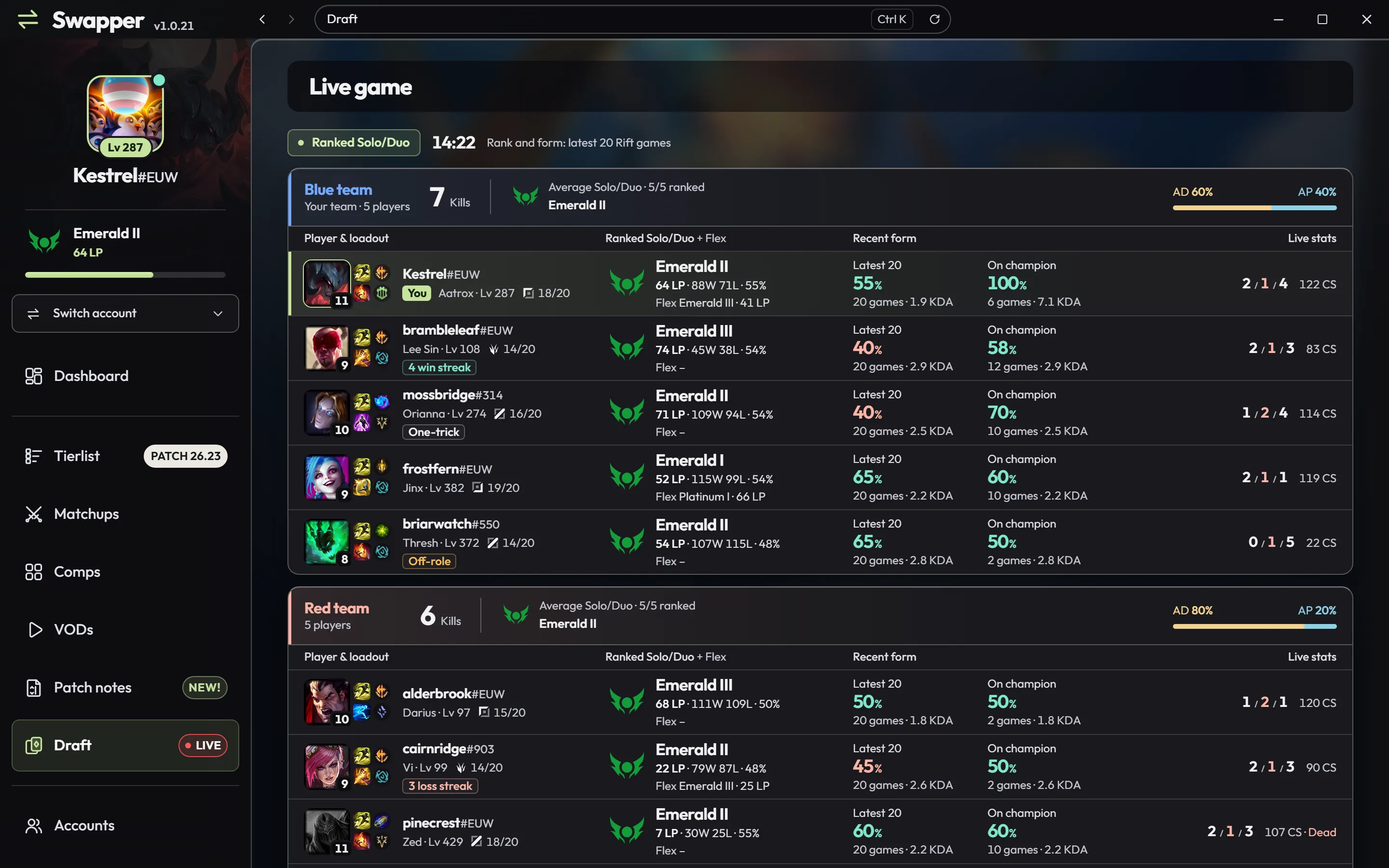
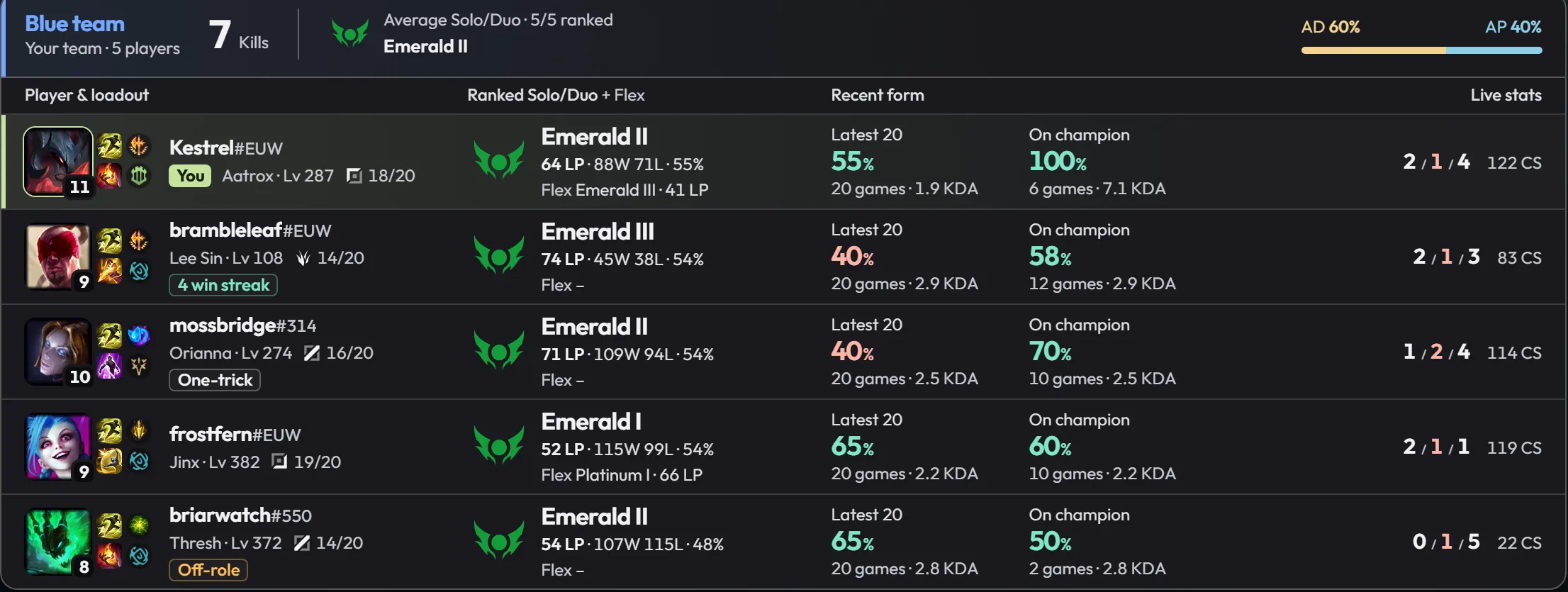
In game, know the lobby
Both teams with each player's rank and recent form while you are in a game.
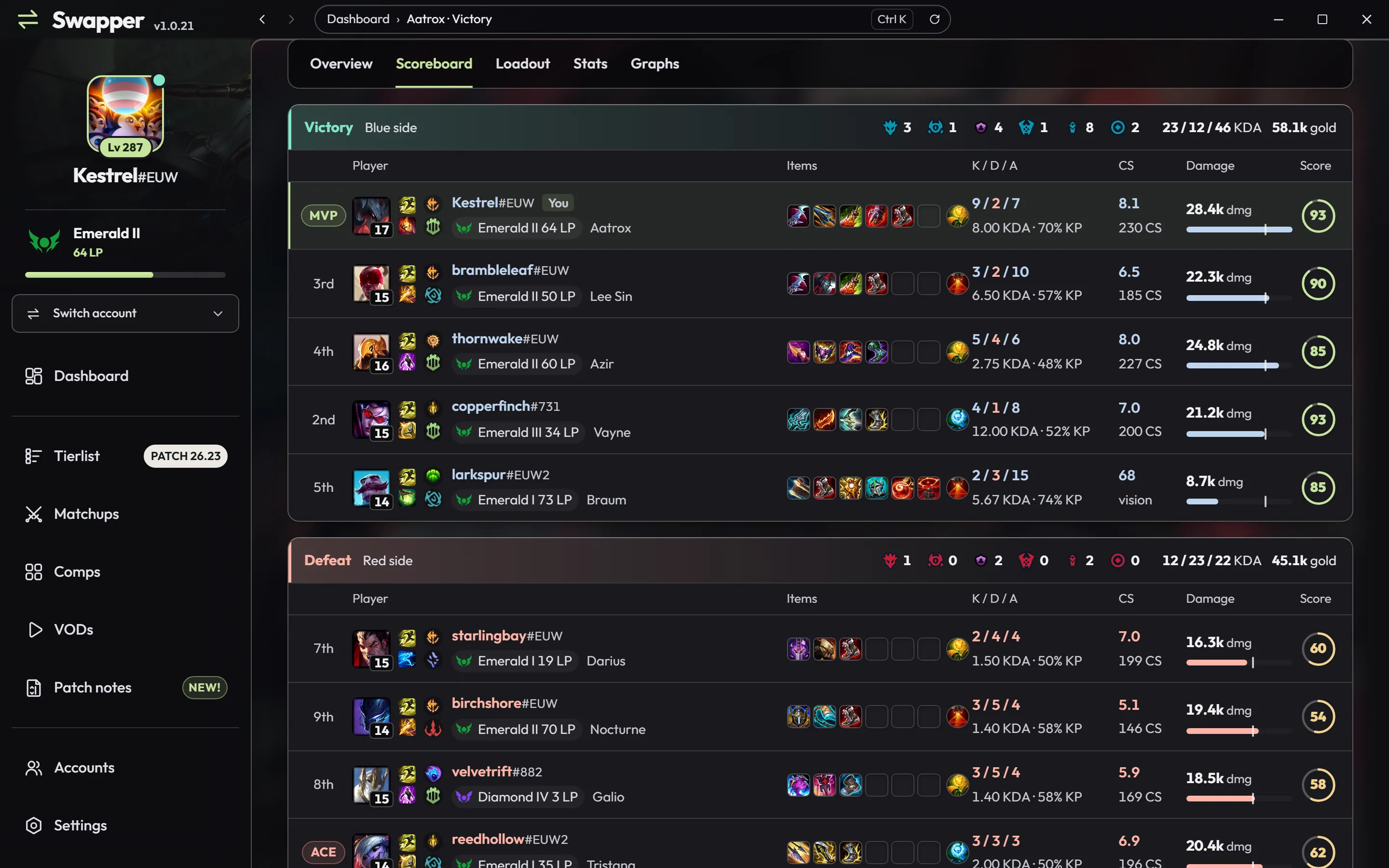
After the game
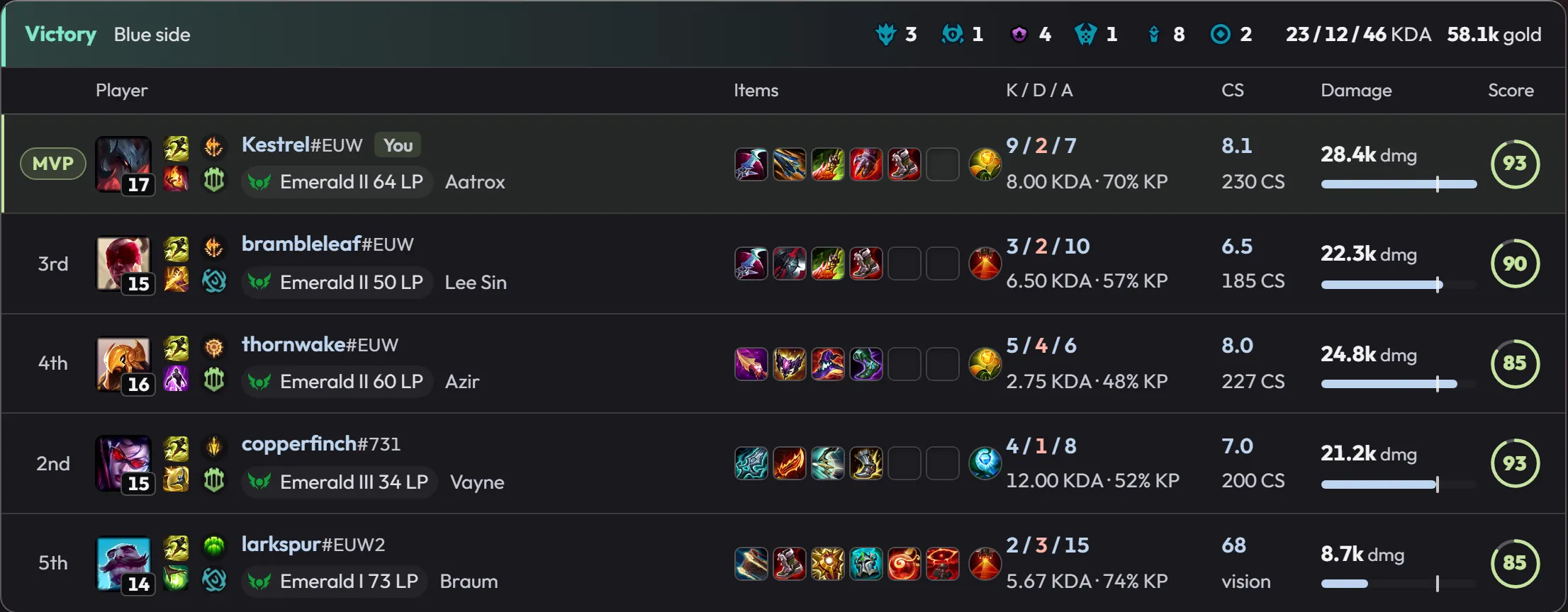
Every player's rank, items, KDA and score, with gold, objective and kill graphs one tab away.
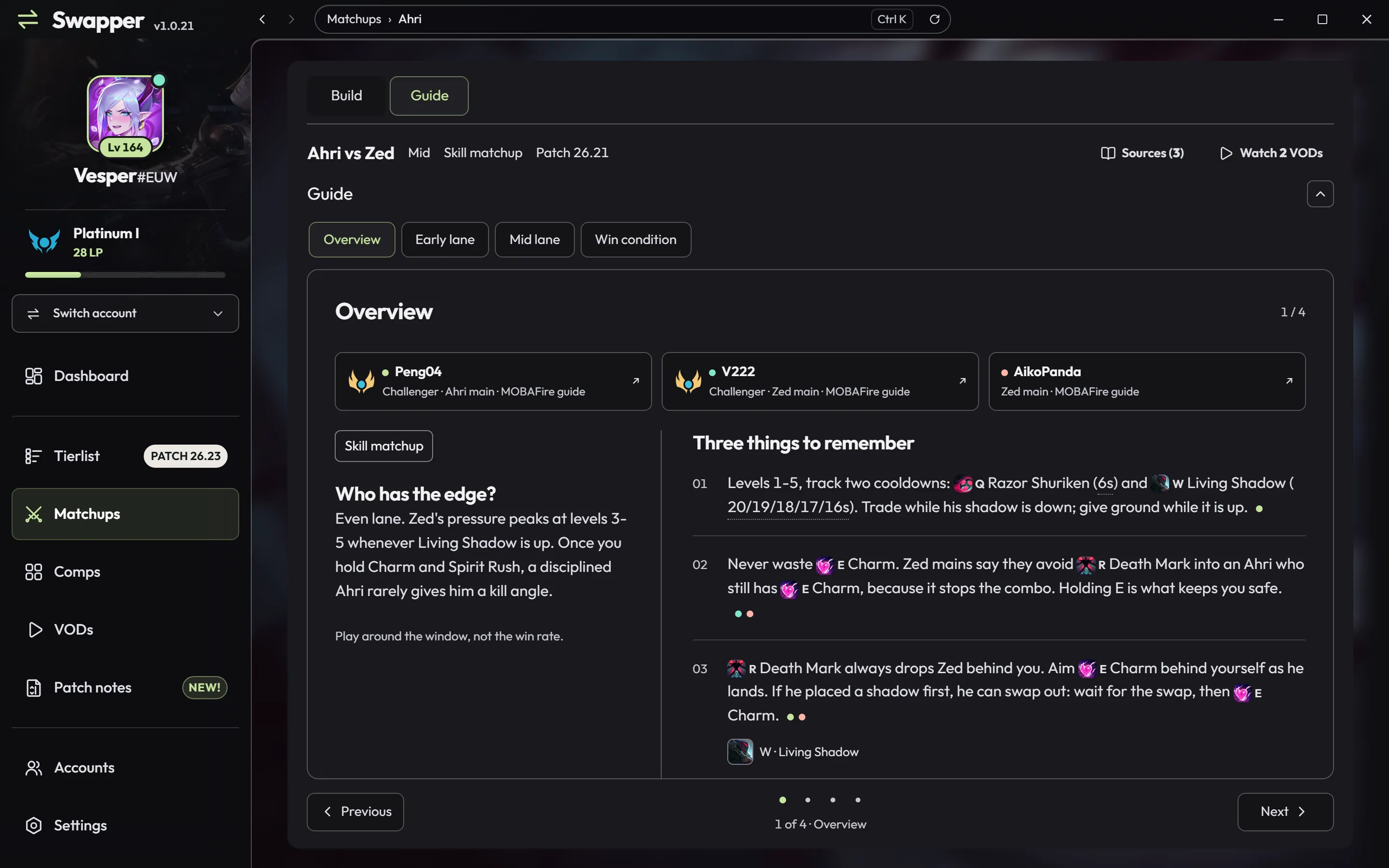
Learn the matchup
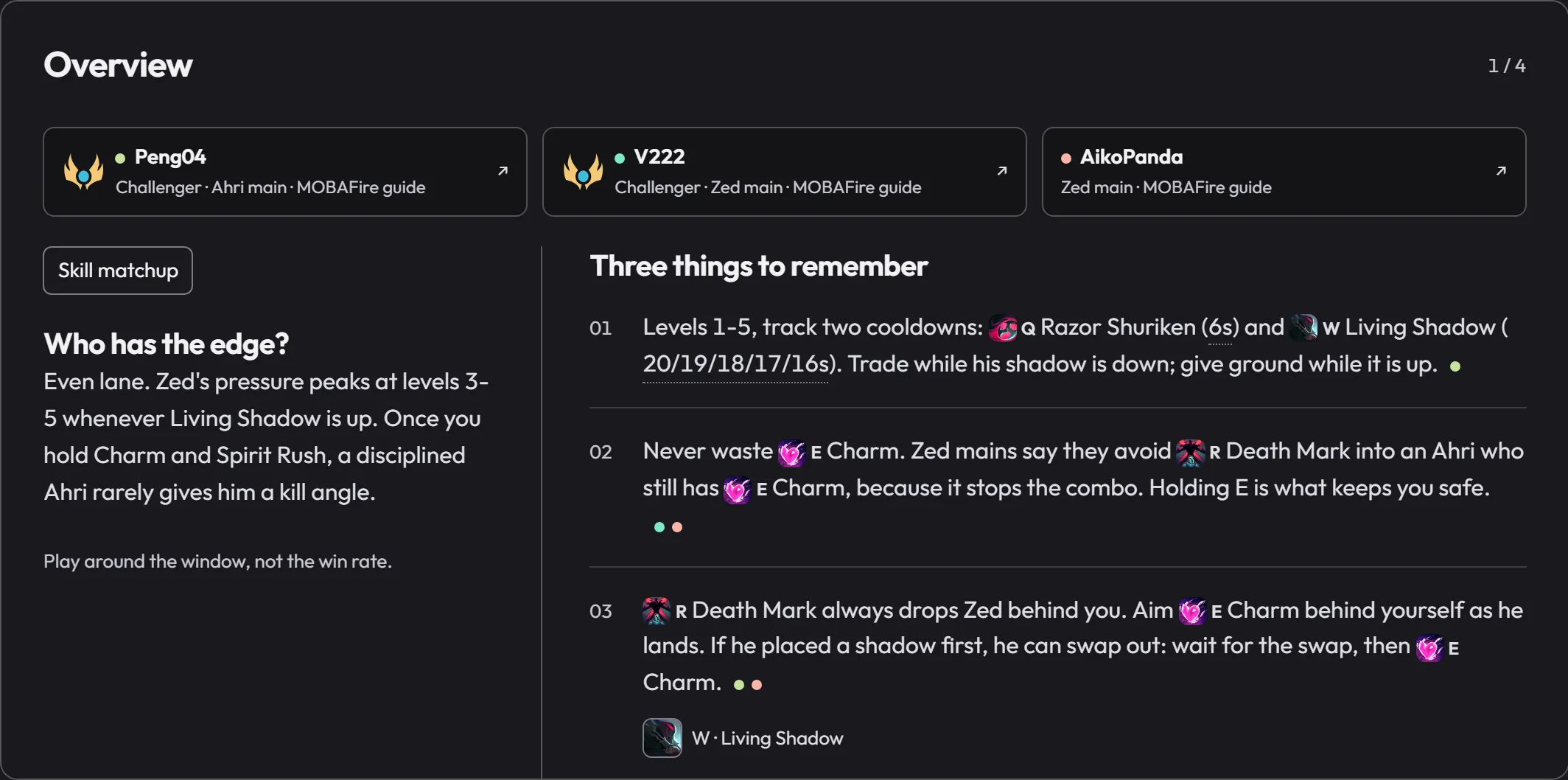
Pick your champion and the enemy for the win rate, the matchup build and, where one exists, a written lane guide with its sources.
Switch from the tray
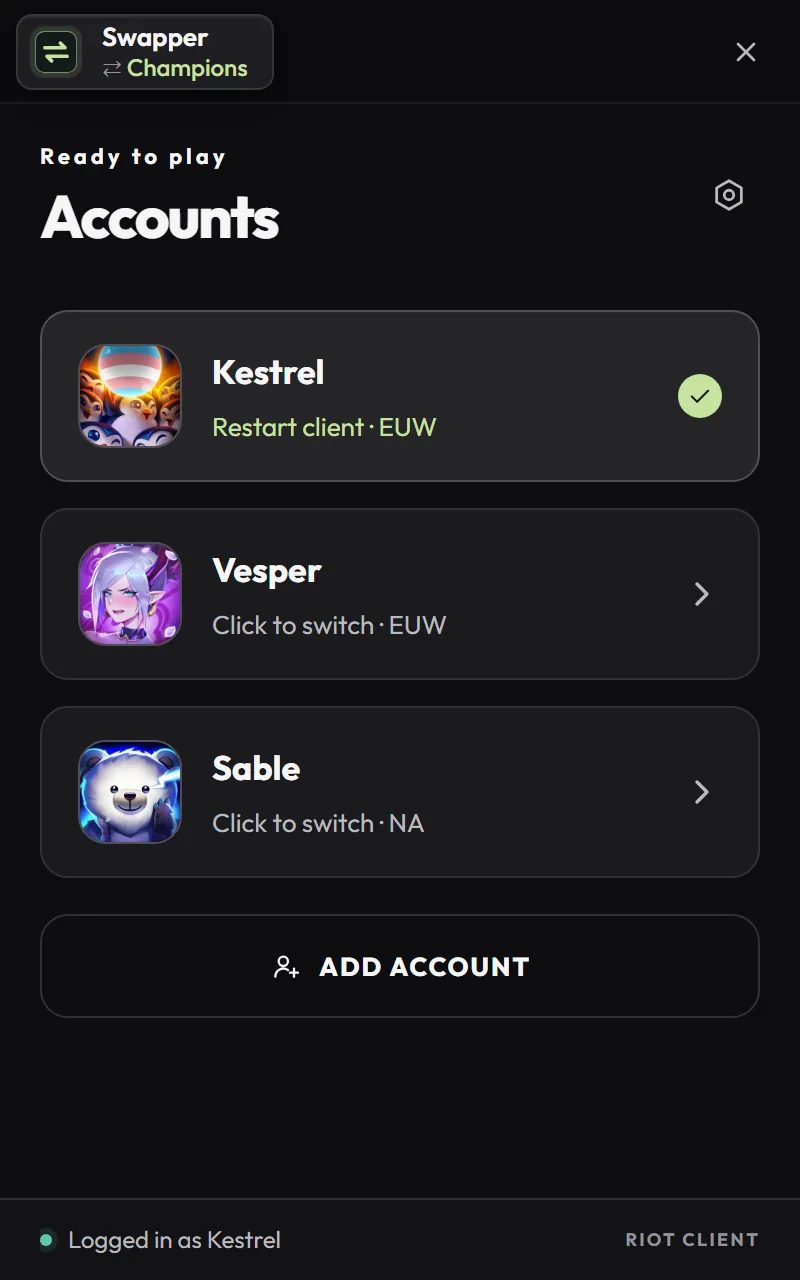
Every saved account one click away from the Windows tray. No password, no login screen.

Champion select, live
Both teams and bans as they come in, with your lane opponent marked. The window comes to the front when champion select starts.
Your build, applied
Runes, summoner spells, skill order and items for your matchup. Apply all sends them to the client in one click.
In game, know the lobby
Both teams with each player's rank and recent form while you are in a game.
After the game
Every player's rank, items, KDA and score, with gold, objective and kill graphs one tab away.
Learn the matchup
Pick your champion and the enemy for the win rate, the matchup build and, where one exists, a written lane guide with its sources.
Switch from the tray
Every saved account one click away from the Windows tray. No password, no login screen.

Sign in once per account. Then never again.
Sign in through Riot Client
Use the official client with "Stay signed in" ticked. Swapper spots the account and offers to save it.
Swapper keeps the session
The session is encrypted on your PC with your Riot ID and icon. Your password never reaches Swapper.
Click to switch
Swapper closes the Riot and League clients, restores the account you picked and opens League, VALORANT or just Riot Client, your choice per account.
Try Switch account in the live app
FAQ
Is Swapper free and open source?
Yes. Swapper is a free Windows app, and its source code is published under the MIT License.
Is it safe to use? Can I get banned?
Riot Games does not endorse Swapper, so nobody can promise how Riot treats third-party tools. What Swapper does: it reuses the session Riot Client already saves, reads the local Riot and League clients, and never asks for your password. The optional overlay draws its own window and does not inject into or read the game's memory. One optional feature, the Korean font mod, changes League's game files while a game runs. It is off by default, and you use it at your own risk.
Where are my credentials and sessions kept?
Swapper never sees your password. It saves Riot Client's "Stay signed in" session in %LOCALAPPDATA%\Swapper, encrypted with Windows DPAPI for your Windows user. Sessions are not sent to your phone or to a Swapper server.
Which games and platforms does it support?
Swapper runs on Windows. Its stats, builds and draft tools are for League of Legends. After a switch, each account can open League, VALORANT or just Riot Client.
How do I add an account?
Open the flyout and choose Add account, then sign in through the official Riot Client with "Stay signed in" selected. League does not need to be open. Swapper detects the account and offers Save Account.
What happens if I switch while I'm in a game?
Swapper refuses to switch while a game is running. It never restarts the client during a game, and in champion select it asks first, because a restart there means a dodge.
Should I use Riot Client's Sign out between accounts?
No. Signing out in Riot Client can invalidate a session Swapper needs to restore. Use Swapper to move between accounts. If a saved session expires, sign in to that account again and choose Repair account.
How do updates work?
Swapper checks for updates itself and installs them with Update & Restart. The installer is currently unsigned, so Windows may ask you to confirm that you trust it.
Changelog
Full notesv1.0.21
- Choose what opens after a switch: Riot Client, League or VALORANT. Set it in Settings, or per account with the new "Opens" picker on each account. Handy if you also play VALORANT and don't want League opened (and Riot Client restarted) for you.
- "Open ..." buttons now name what the account opens, and a blocked switch tells you which game is running.
- Dashboard: the rank card has a new gauge showing your progress toward the next rank.
v1.0.20
- Custom mods: browse and install RuneForge skins in the app. Click a mod to see its preview images, sort by recently updated, and manage your library. Mods go through LTK Manager, which Swapper now sets up and updates for you.
- Counters (was Answers): rebuilt on pro games, with the pro rune page for each counter.
- Comps: redesigned board, roster with your active five, and a new team bar.
v1.0.19
- New Comps page: pro team comps grouped by playstyle (Engage, Poke, Pick, Dive, Protect the carry), five per page.
- Add your Flex or Clash teammates and see which comps your team can already play. Champions someone plays light up, and hovering one shows who.
- Each comp has its own page: the five picks with draft order (including duos you pick together), a team game plan, what beats it, and pro games you can watch in the app.